Physical Address
304 North Cardinal St.
Dorchester Center, MA 02124
Physical Address
304 North Cardinal St.
Dorchester Center, MA 02124

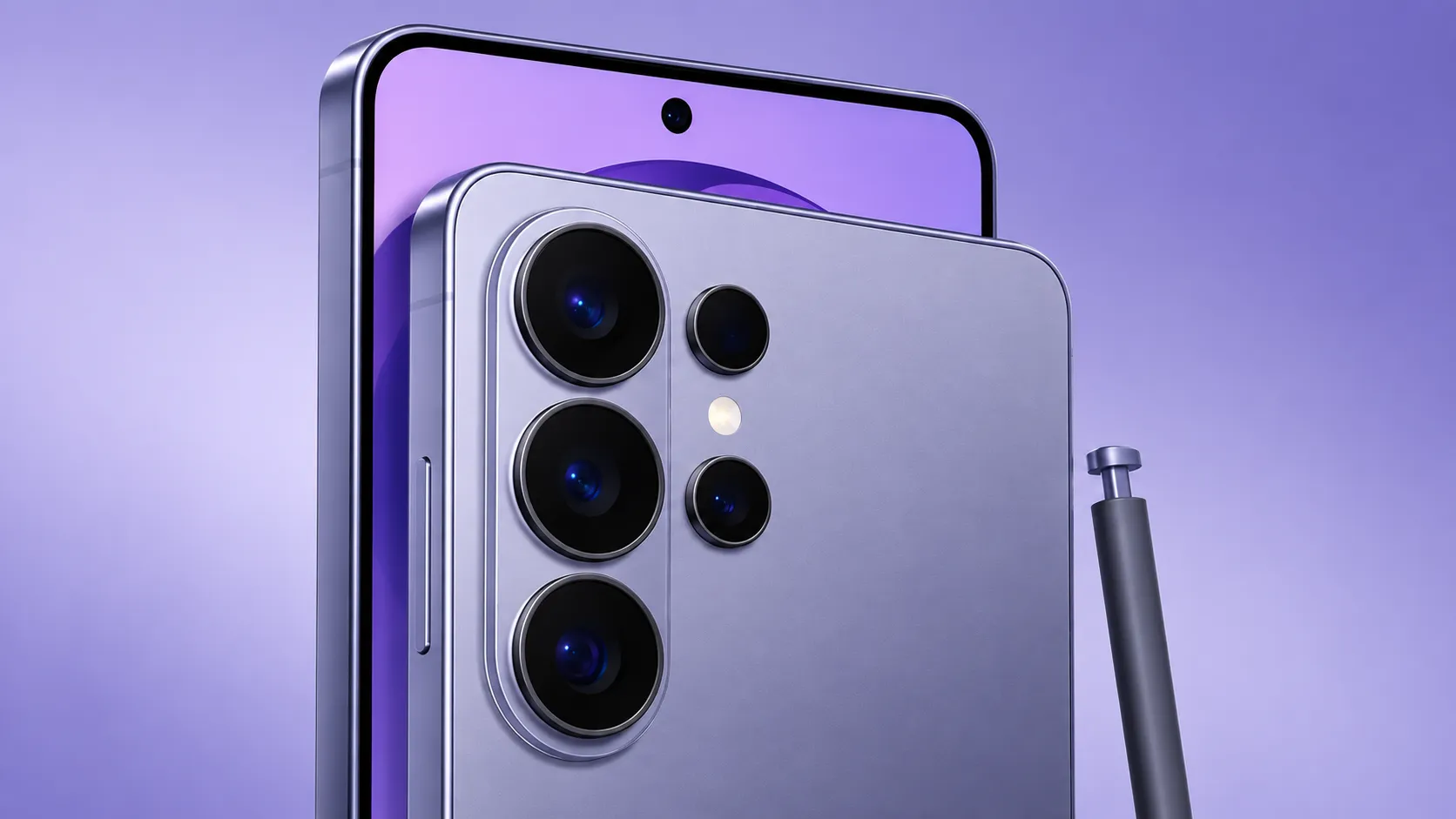
Everything you need to get the most from your Galaxy S26 Ultra in one complete guide, including setup, camera settings, battery tips, S Pen features, Galaxy AI, privacy, performance, accessories and everyday shortcuts.
So, the Galaxy S26 Ultra is Samsung’s big showstopper for 2026. It’s their most powerful phone yet. Maybe you’re wondering if it’s worth the splurge, you’ve just unboxed one and want to get it set up right, or you already own it and want to squeeze out a bit more magic. Maybe something’s gone sideways, and you need a fix. Wherever you’re at, this is where your S26 Ultra journey begins.
Think of this guide as your personal map to everything S26 Ultra on SamScopes. I’ll give you the quick answers first, then point you to deeper guides if you want the full story. It’s laid out the way real life works: choosing your phone, setting it up, using it well, sorting out hiccups, and knowing when it’s time for something new.
Here’s the quick snapshot: Samsung’s best phone this year packs a huge 6.9-inch QHD+ screen, a wild 200MP main camera with dual telephoto lenses, a beefy 5,000mAh battery, super-fast 60W charging, the trusty built-in S Pen, and a brand-new Privacy Display. Under the hood, it’s running the Snapdragon 8 Elite Gen 5 for Galaxy. Prices start at $1,299 (or £1,279 / €1,449 / AED 4,799 if you’re elsewhere) for the 256GB model, and you get seven years of software updates to keep things fresh.
Is it the right phone for you? Our full Galaxy S26 Ultra review gives the verdict with independent test data, and Galaxy S26 Ultra Specs: What Actually Matters explains which numbers shape your day-to-day use, and which are just spec-sheet noise.
The Ultra is a great pick if you’re after the most flexible camera, love the S Pen, want the biggest screen, and need a battery that keeps going, and you’ll actually use those features. But if your phone life is mostly messaging, browsing, and streaming, one of the smaller S26 models might fit you just as well (and save you some cash).
There are two big questions you’ll want to nail before you buy, since you can’t really change your mind on these later:
When you’re ready to buy, Where to Buy the Galaxy S26 Ultra tracks the best current prices, trade-in offers and bundles.
That first hour with a new phone? It sets the tone for the next couple of years. Start by moving your stuff over my How to Transfer Data to the Galaxy S26 Ultra guide walks you through Smart Switch, whether you’re coming from another Samsung, a different Android, or even an iPhone. I’ll flag what to keep and what to leave behind.
Next, give yourself ten minutes to tweak the basics. My 25 Galaxy S26 Ultra Settings to Change First guide highlights the switches that matter most for battery, display, and privacy from the start. Honestly, it’s the best thing you can do for your new Ultra. And since this phone isn’t cheap, check out my picks for the best S26 Ultra cases and screen protectors to keep it safe.
Once you’ve got it set up, the Ultra really starts to show off what it can do.
Camera. The 200MP system is the headline feature, and most of its power is off by default. A whole world of features hides under the surface that most people never find. My Galaxy S26 Ultra Tips, Tricks & Hidden Features guide rounds up the genuinely useful ones, including clever S Pen moves and ways to get the most from the Privacy Display.
Battery. To get the most from the 5,000mAh cell, the Galaxy S26 Ultra Battery Life Guide covers real-world endurance and how to extend it, while the Charging Guide explains 60W speeds, what charger you actually need, and how to protect long-term battery health.
If you want to kit out your Ultra with accessories that actually make a difference, from chargers and cables to handy add-ons, check out my guides to the best S26 Ultra accessories and the best Samsung fast chargers.
Even the best phones hit a few bumps. If something’s not right, start with my Galaxy S26 Ultra Problems & Fixes Hub – it’ll point you straight to the fix for whatever’s bugging you. The most common headaches have their own step-by-step guides:
Already rocking a recent Ultra? The upgrade decision is a close call this year. My Galaxy S26 Ultra vs S25 Ultra: Should You Upgrade? guide breaks down whether the new stuff such as the Privacy Display, faster charging, and camera tweaks really make it worth switching, or if your current phone still has plenty of life left.
Cross-shopping other flagships or the rest of the range? See how the Ultra fits into Samsung’s own line in Galaxy S26 vs S26+ vs Ultra: Which to Buy.
No matter where you are in your S26 Ultra journey, I’ve got a guide for you:
Choosing: Review· Specs explained· RAM· Storage· vs S25 Ultra· vs S26/S26+ ·Where to buy
Setting up: Transfer data· First settings· Cases· Screen protectors
Using: Camera settings· Tips & hidden features· Battery life· Charging· Accessories· Fast chargers
Fixing: Problems hub· Battery draining· Overheating· Screen problems
The Galaxy S26 Ultra is the most complete phone Samsung makes in 2026, and with seven years of updates, one you’ll likely keep for a while. This guide is the hub, and the linked pages go deeper on choosing, setting up, using, fixing, or upgrading. Bookmark it and come back whenever you need the next step.
New to Samsung’s flagship line more broadly? Start with our Galaxy S series overview. Want the software side? See the One UI complete guide and Galaxy AI guide.